Bypass iCloud Activation Lock and Android FRP without password.

 100% Security Verified | No Subscription Required | No Malware

 :
: 
 ChatGPT
 Perplexity
 Gemini
 Claude
 Grok
Grok
A used iPhone may look like a bargain until it asks for the previous owner’s Apple ID, rejects a SIM card, or shows an unclear device history. iUnlocker presents itself as an online answer, offering IMEI reports, iCloud status checks, carrier details, and selected unlock services. Yet these options differ in price, device support, processing time, and outcome. A basic check may be useful, while a paid removal request demands more caution.
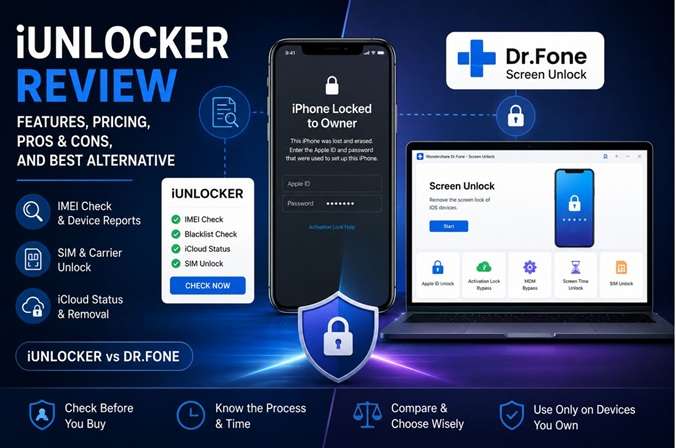
In this iUnlocker Review, we cover how the service works, what it can realistically unlock, if it is safe and worth paying for, and the limitations you need to be aware of prior to entering your IMEI or ordering.
In this article
Part 1. What Is iUnlocker iCloud?
iUnlocker iCloud claims to remove Activation Lock from Apple devices using an online service. It does so through a website, so users do not have to install anything on their computer.
First, the user inputs the device IMEI or serial number. The service will then try to remotely process the unlock. The results may vary depending upon the device model, iOS version, and kind of lock.
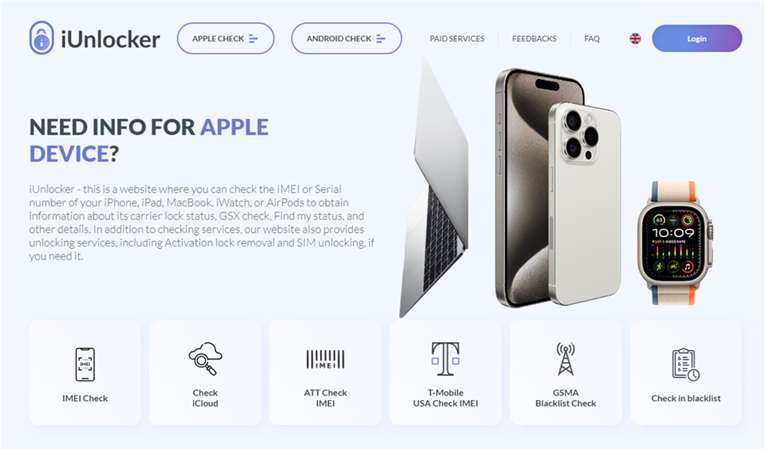
1.1 Key Features of iUnlocker iCloud
The main service aims to bypass the iCloud Activation Lock on an iPhone.
The iUnlocker iPhone checker may show whether a device is blacklisted or reported as stolen.
Users can check whether an iPhone is iCloud-locked or has a clean status.
These tools provide different results. An iCloud or IMEI check only gives device information. It does not remove the lock.
1.2 iUnlocker iCloud Pricing
Basic iCloud status checks may be free or available at a low cost. These checks usually provide simple details about the device and its lock status.
Activation Lock bypass or removal is normally a paid service. The cost may vary based on:
- Device model
- iOS version
- Type of lock
- Selected service
Removing Activation Lock without the Apple ID details is technically difficult. Free methods that work on every Apple device are very rare.
Before paying, users should read the service terms, refund policy, and success conditions carefully.
1.3 Pros and Cons of iUnlocker iCloud
- The service works online and does not require software installation.
- Users can check an iPhone’s iCloud or IMEI status without technical skills.
- The reports may help buyers identify a locked, stolen, or blacklisted device.
- Users can submit a request without contacting the previous owner.
- Results may change according to the device, iOS version, and lock type.
- iUnlocker iCloud is a third-party service, not an official Apple solution.
- The service may not clearly explain how it processes each unlock request.
- New Apple security updates can reduce the effectiveness of third-party services.
Part 2. How to Use iUnlocker for Device Checks and Unlocks
iUnlocker follows a different process for each service. Users can check the IMEI, carrier lock, or iCloud status on the device before making a paid unlock request. There will be examinations of the mobile to confirm the serviceability of the phone.
Method 1: Check the iPhone IMEI Details
An IMEI report can show useful information about an Apple device before you place a paid order.
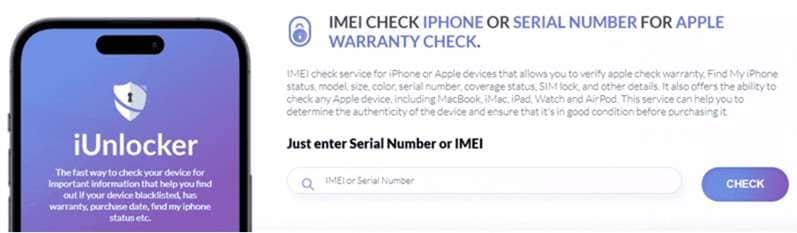
Step 1: Open the IMEI checker
Visit the iUnlocker iPhone IMEI check page. Enter the phone’s IMEI or serial number, then select Check.
Step 2: Review the device report
Wait for the service to process the details. The report may include:
- Device model
- Warranty information
- Carrier lock status
- Find My iPhone status
- Other available device details

Method 2: Request a SIM Carrier Unlock
Before ordering a SIM unlock, confirm that the phone is still tied to a carrier.
Step 1: Check the SIM-lock status
Find the IMEI Check SimLock option on the site. Enter the device IMEI and serial number to view its carrier lock details.
Step 2: Choose the correct unlock service
Open the Paid Services section. Select the Factory Unlock option that matches the phone’s carrier.
Step 3: Submit the order
Enter the IMEI and your email address. Select Place Order, then pay the required fee.
The service may take between 1 and 15 days to process the request. After completion, iUnlocker com sends the next instructions by email. In most cases, users need to restart the phone before the carrier unlock becomes active.
Method 3: Submit an iUnlocker iCloud Removal Request
The device must meet certain conditions before an iCloud removal order can be accepted.
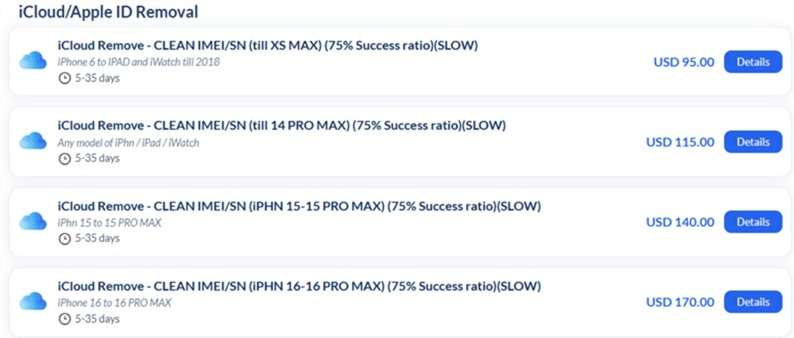
Step 1: Confirm device eligibility
Open the Check iCloud Status tool. Make sure the device has a clean iCloud status and is not in Lost Mode. Replacement devices may not qualify.
Step 2: Select the matching removal service
Go to the Paid Services page. Choose the iUnlocker iCloud removal option that matches the Apple device model.
Step 3: Enter the required details
Provide the IMEI or serial number and a valid email address. Select Place Order and continue to payment.
The removal process may take about 5 to 35 days. When the request is completed, the device must be erased and configured as a new iPhone.
Carrier, Samsung, Xiaomi, and OPPO Services
The site offers carrier checks and selected remote SIM-unlock orders. Support depends on the phone, carrier, country, balance status, and blacklist state.
iunlocker Samsung listings include IMEI reports, Knox checks, carrier options, and selected FRP services. Many have strict model and region limits.
The platform also lists checks or account services under iunlocker xiaomi and iunlocker oppo. Xiaomi options include clean or lost reports and some Mi Account orders. OPPO mainly appears in the Android IMEI section.
Part 3. Best Alternative to iUnlocker iCloud — Dr.Fone - Screen Unlock (iOS)
iUnlocker depends on online checks, paid orders, and remote processing. This can mean strict eligibility rules and a long waiting period. If you forgot your iPhone passcode and are locked out, you can try out Dr.Fone – Screen Unlock.
The guide directs the user through every stage using software that can operate on a Windows PC or Mac. Using its iOS Screen Unlock mode, you can remove 4-digit and 6-digit passcodes, Touch IDs, and Face IDs from supported Apple devices. The suite of functionalities consists of independent software for managing Apple ID, bypassing Activation Lock, MDM, Screen Time, and SIM restrictions, among others.
The guide below covers iPhone screen-passcode removal. The data on the device will likewise be erased if it is unlocked or factory reset. Only use this on an iPhone or iPad that you own or have permission to use.
 Unlock iPhone/iPad passcode in minutes.
- Remove Face ID, Touch ID, MDM lock, and screen lock.
- Bypass iCloud Activation Lock easily.
- Support all iOS versions and devices.
- Simple steps, no technical skills needed.

How to Unlock an iPhone With Dr.Fone - Screen Unlock
-
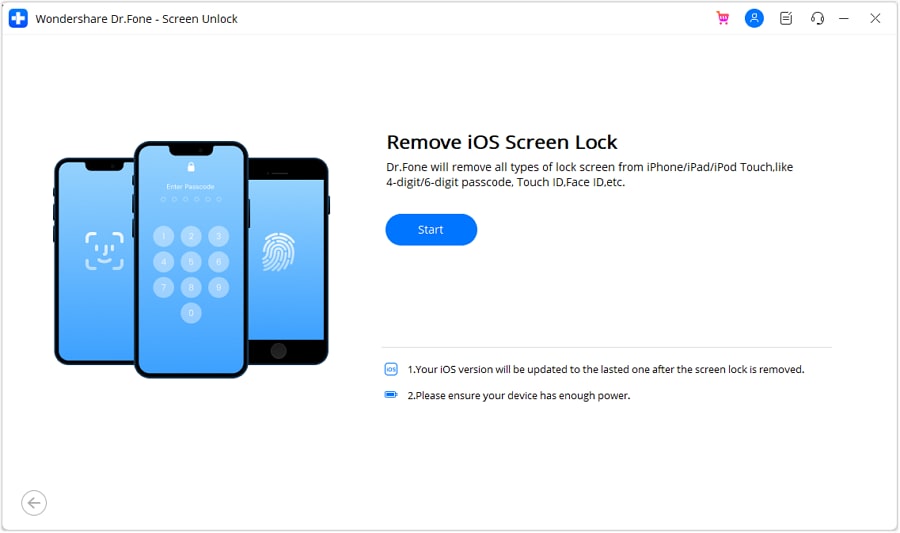
Step 1 Open the iOS Screen Unlock tool
Install and launch Dr.Fone on the computer. Open Toolbox, select Screen Unlock, and choose iOS. Click Unlock iOS Screen, connect the device, and select Start.
-
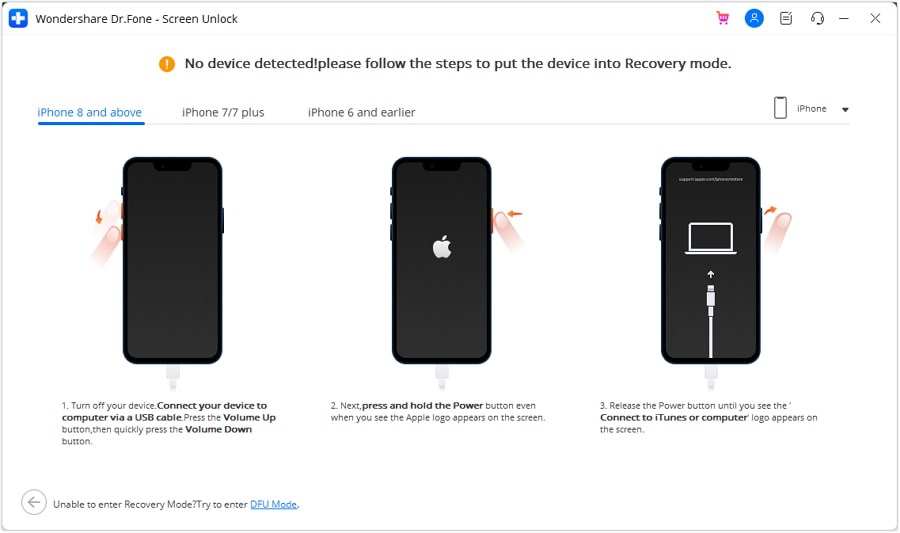
Step 2 Enter Recovery Mode
Follow the instructions that match your iPhone or iPad model to place it in Recovery Mode. Select Try DFU Mode if Recovery Mode does not work.
-
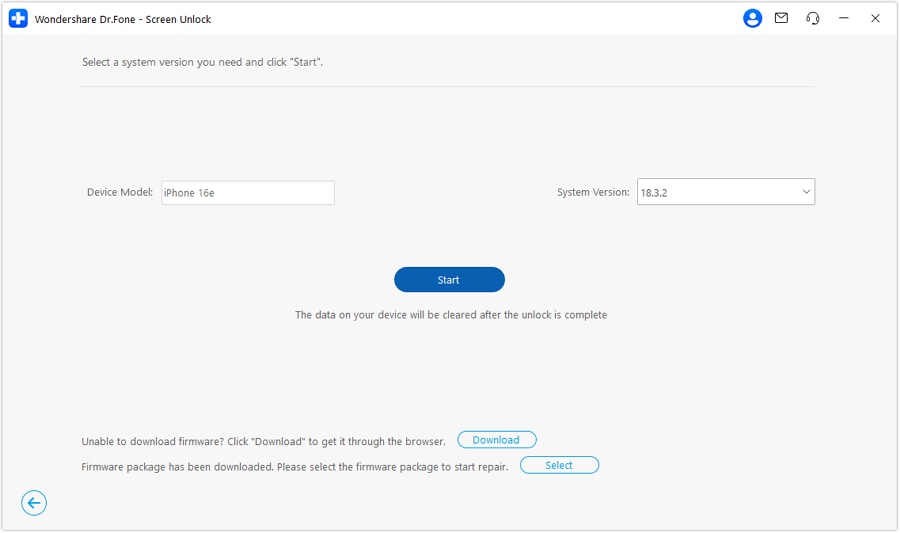
Step 3 Confirm and download the firmware
Dr.Fone detects the connected device model. Check the model and system version before continuing. Select Start to download the required iOS firmware package.
-
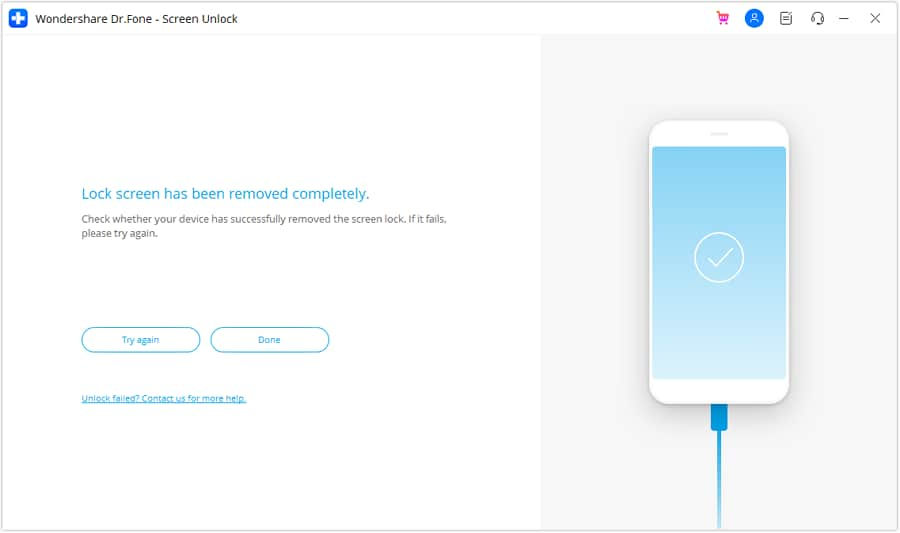
Step 4 Remove the screen lock
Once the firmware is verified, select Unlock Now. Enter the confirmation code and choose Unlock. Keep the device connected while Dr.Fone installs the firmware and removes the lock. Select Done when the process finishes.




Part 4. iUnlocker vs Dr.Fone - Screen Unlock
| Category | iUnlocker | Dr.Fone - Screen Unlock |
|---|---|---|
| Features | IMEI, blacklist, carrier, iCloud status, SIM unlock, and selected removal services. | Removes supported screen passcodes, Apple ID, MDM, SIM locks, and Activation Lock. |
| Pricing | Pay separately for each check or unlock order. Prices vary by device and service. | Available through monthly, yearly, or license-based plans. |
| Pros | No software needed for online checks; useful before buying a used phone. | Guided desktop process with several unlock tools in one program. |
| Cons | Orders may take days or weeks, and eligibility rules are strict. | Requires a computer; screen-passcode removal normally erases device data. |
| Support | Email and online support are available. | Official guides, FAQs, and a support center are provided. |
| Success Predictability | Varies by service. Published rates are service-specific and supplied by iUnlocker. | No universal success rate; results depend on the device, lock, and system version. |
| Safety and Legitimacy | A third-party online service. Refunds may be limited if the wrong service is selected. | Established commercial software with official documentation, but it is not an Apple service. |
Conclusion
iUnlocker service is useful for checking device IMEI, carrier, black list, and iCloud status before buying or unlocking. The iUnlocker review goes through all that. Though its remote services can help, costs, eligibility rules, waiting times, and success rates differ by device and lock type.
Users should read the terms and refund policy before paying. For a forgotten iPhone screen passcode, Dr.Fone - Screen Unlock offers a clearer computer-based process with guided firmware steps. It also supports several lock types on compatible devices. Since screen unlocking may erase data, back up first and use either option only on devices you legally own.
 Add Wondershare Dr.Fone as a preferred source on Google