Bypass iCloud Activation Lock and Android FRP without password.

 100% Security Verified | No Subscription Required | No Malware

 :
: 
 ChatGPT
 Perplexity
 Gemini
 Claude
 Grok
Grok
A Rapidgator downloader is any tool used to save files from Rapidgator, a cloud file hosting service, to your own device. This guide covers how Rapidgator works and the real differences between free and premium downloads. It also explains how to download files without breaking Rapidgator's own terms.
The article will also answer common questions about “bypass” and “premium link generator” tools. Lastly, you will explore how Dr.Fone Basic will help you keep downloaded files organized.
In this article
Part 1. What Is a Rapidgator Downloader?
Before downloading anything, it is important to understand what Rapidgator is and how its free and paid tiers differ.
How Does Rapidgator Work?
Rapidgator is a cloud file hosting service where users upload files to their accounts. Then they can share a download link so others can retrieve the files from Rapidgator's servers, says the Rapidgator FAQs page. This works the same way as other file hosts like Mega or MediaFire, just with its own free and paid tiers.
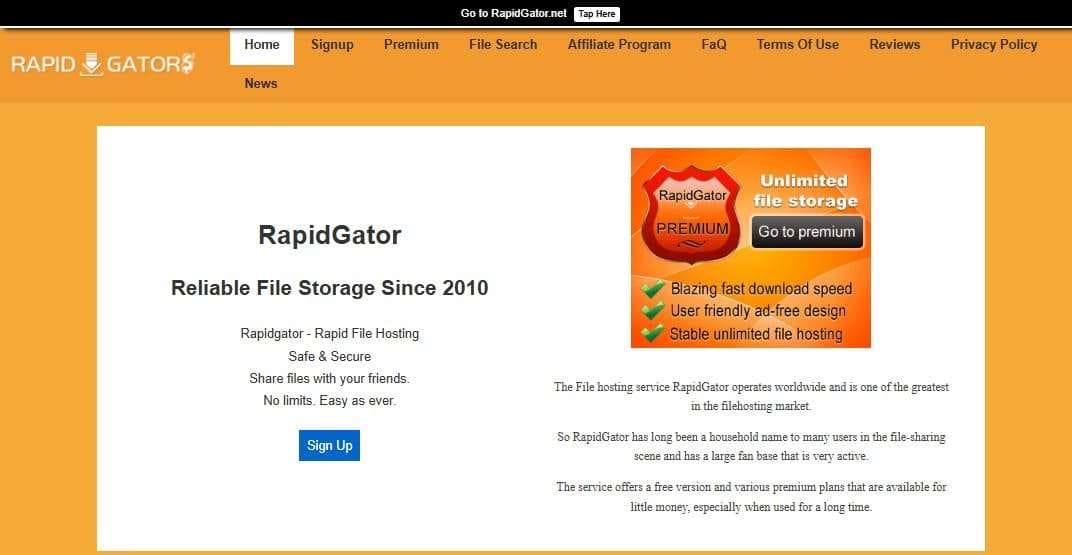
Anyone can download from a shared link without creating an account, though Rapidgator applies restrictions to free downloads to encourage a premium Rapidgator subscription. Premium accounts remove most of those restrictions for a paid subscription fee, similar to how streaming services gate extra features behind a paid plan.
Can You Download Rapidgator Downloader for Free?
Yes, Rapidgator files can be downloaded for free without a subscription, though free downloads come with real limitations that a premium account removes. Free users typically face a daily download cap, a 1 file per 120 minutes wait timer before each download starts. These limits exist specifically to make premium Rapidgator accounts more appealing.
Is Rapidgator Safe and Legal to Use?
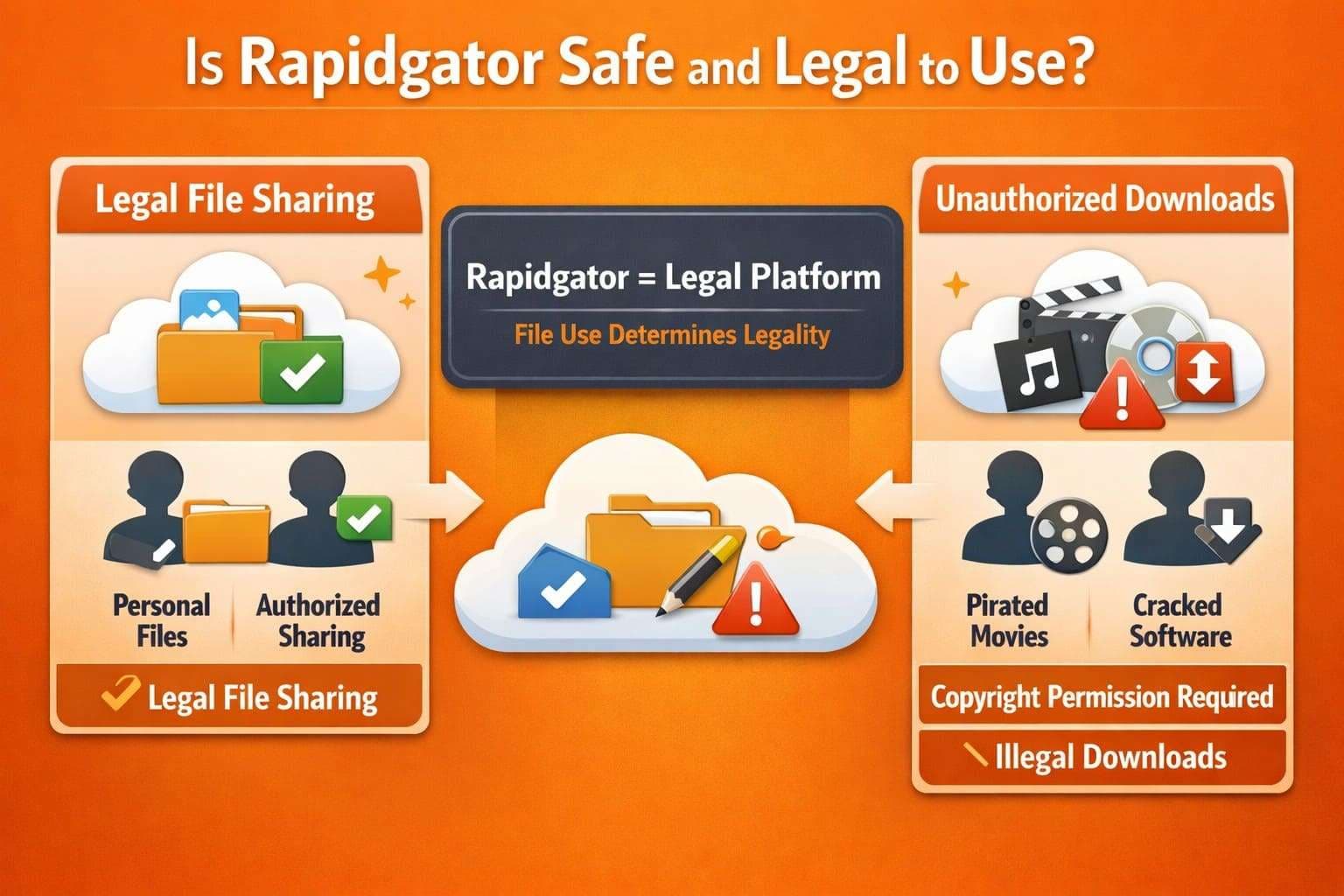
Rapidgator itself is a legally operating file hosting company, similar in structure to other cloud storage services. However, using the platform to store or share files you own or have permission to distribute is not illegal. That said, file hosts like Rapidgator are also commonly used to share copyrighted movies, shows, and software without the rights holder's permission.
This dual use is common across the file hosting industry, not unique to Rapidgator specifically. Downloading a file you don't have the right to download is illegal, no matter which method you use to get it. This applies equally to free downloads, premium downloads, and any third-party tool.
Why is My Rapidgator Download So Slow?
Slow downloads on Rapidgator are usually intentional rather than a sign that something is broken. Free accounts are throttled to a fraction of your actual connection speed by design, regardless of how fast your internet connection actually is.
This throttling, combined with mandatory wait times between downloads, is meant to push casual users toward a premium subscription for Rapidgator's fast download speeds instead. The pattern gets more noticeable the more files you download in one day, since repeated downloads often face longer waits than the first.
Part 2. Rapidgator Free vs. Premium Downloads
Understanding exactly what changes between the Rapidgator downloader online free and premium versions makes it easier to decide which download method fits your situation.
Rapidgator Free vs. Premium Download Speed
Free accounts download at a small fraction of typical broadband speed, often just a few hundred kilobytes per second, regardless of your actual connection. Premium accounts remove this cap entirely, downloading at whatever speed your own connection supports.
Premium also adds parallel downloads, resume support for interrupted files, and removes the wait timer between downloads that free accounts have to sit through. In addition to speed, review the mentioned table to know the main differences between the free and premium versions:
| Downloads As | Free | Premium |
|---|---|---|
| Download Speed | Limited | Unlimited |
| Reported Speed Range (Other Tests) | Generally capped around 50–100 KB/s, says Storage Portal. | Effectively uncapped, limited mainly by your own connection. |
| Access Process | Direct download links, no CAPTCHA or countdown. | Direct download links, no CAPTCHA or countdown. |
| Direct Download Link | No | Yes |
| Concurrent Downloads | 1 at a time | Unlimited concurrent downloads |
| Downloads Start Immediately | No | Yes |
| Support for Resumed Downloads | No | Yes |
| Support for Download Managers | Limited | Yes |
| Bandwidth | Restricted/throttled by design | Unlimited bandwidth |
| Best Suited For | Occasional small, single files. | Large archives, video files, backups, or multi-part downloads. |
Can You Legally Avoid Rapidgator Free-Download Restrictions?
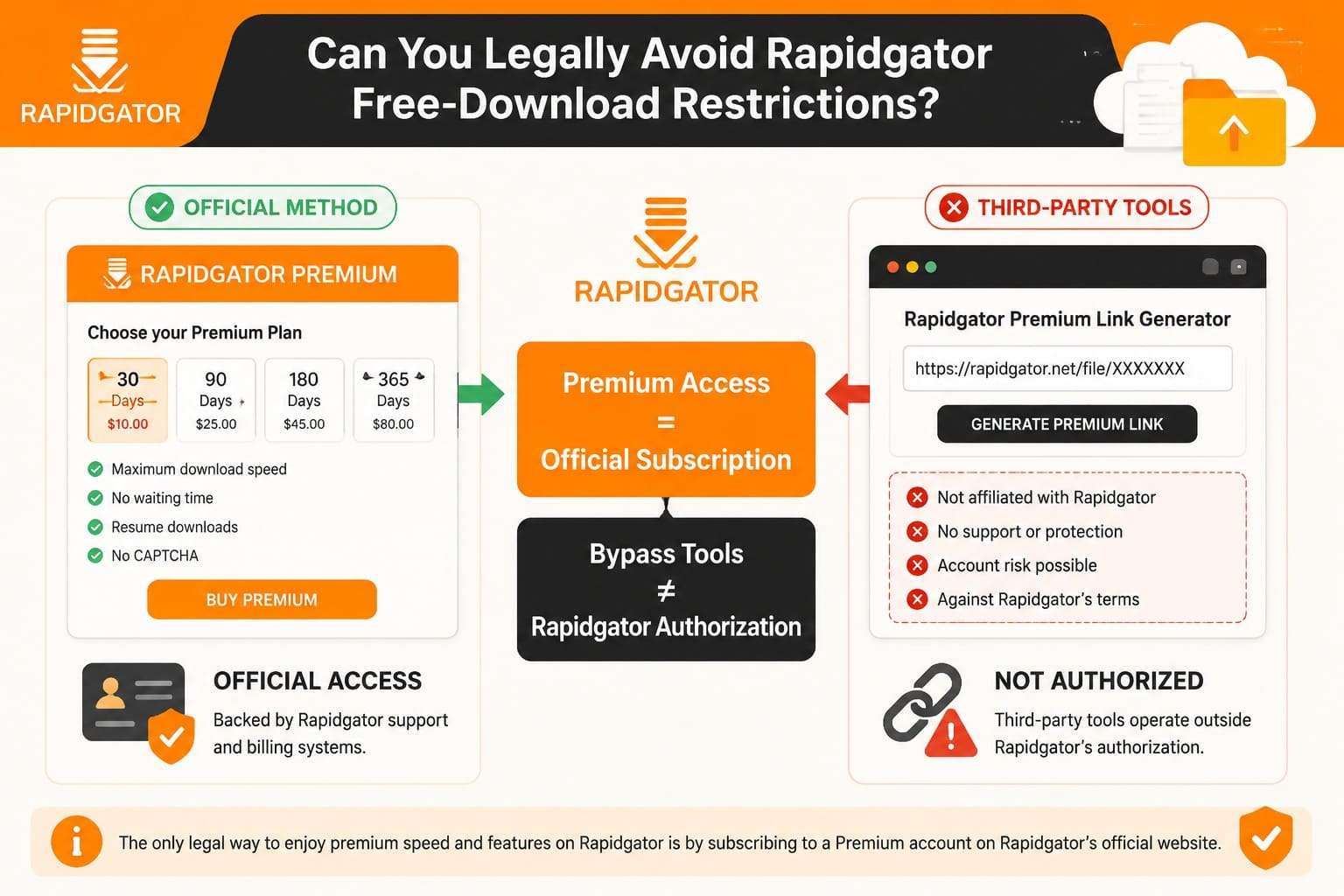
The only method Rapidgator itself sanctions for downloading premium Rapidgator speed is subscribing to a Premium account directly through Rapidgator's own website. This is the sole option backed by Rapidgator's own support and billing systems. Third-party tools that promise to unlock premium speed without a subscription generally operate outside Rapidgator's authorization.
Part 3. How to Download Rapidgator Files: 3 Methods
These 3 methods cover the realistic ways to download Rapidgator files, ordered from the most limited to the most capable.
Method 1. Download with a Free Rapidgator Account
A free account is the simplest way to try Rapidgator, and it doesn't require any payment information to get started. This makes it a reasonable option for a single, smaller file rather than repeated large downloads. So, to know how you can use it, adhere to the detailed guide mentioned below:
-
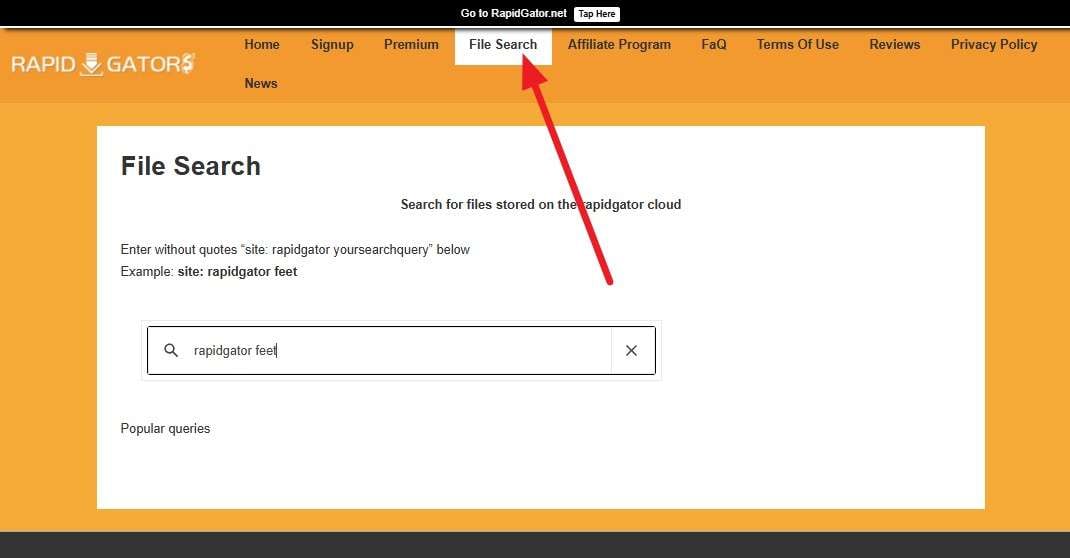
Step 1 Go to the “File Search” page and type the site you want to download files from and press “Enter.”
-
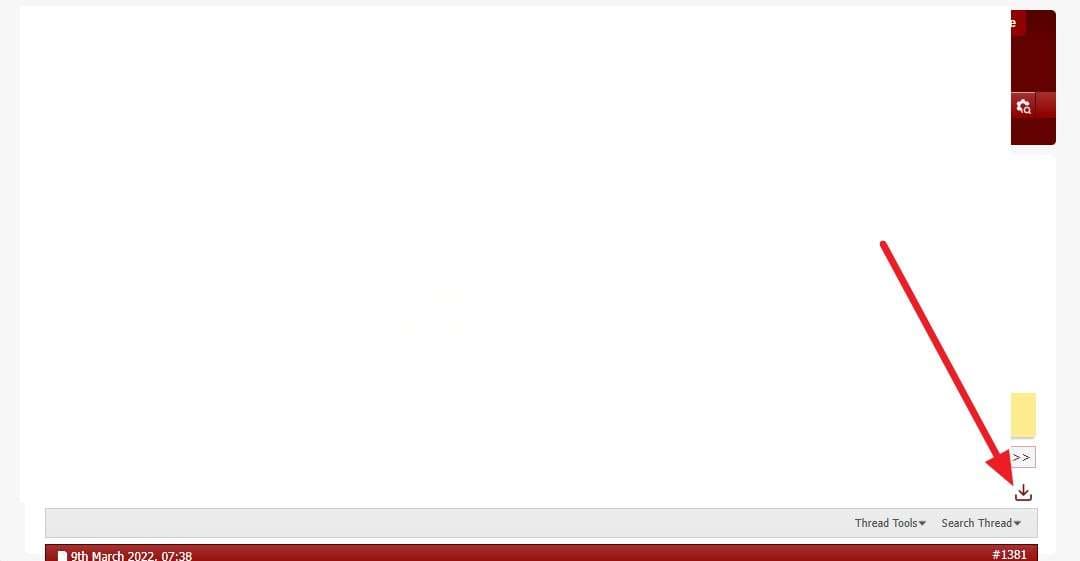
Step 2 Scroll through the list and choose the site you want to download a file from, and press the "Download" icon. Wait through the countdown timer, then complete any CAPTCHA that appears.

Method 2. Download with Rapidgator Premium
A Premium subscription removes the speed cap, wait timer, and daily volume limit that free accounts are subject to. It's the most direct route to download premium Rapidgator speeds without relying on a third-party tool. To learn how you can access files after the payment is done, review the mentioned steps:
-
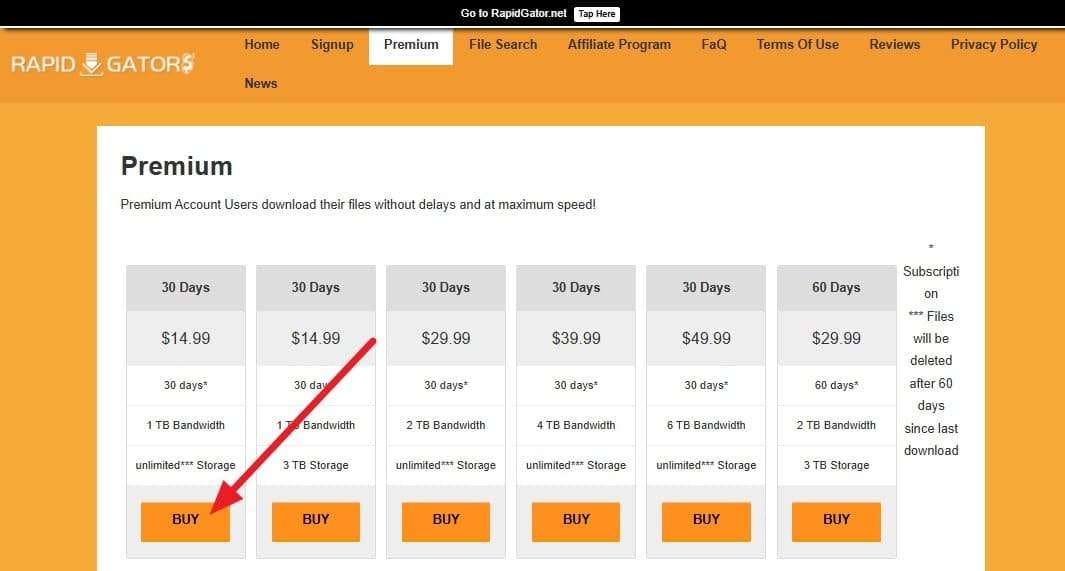
Step 1 Go to Rapidgator's official website and select a Premium subscription plan, then choose "Buy." Complete payment directly through Rapidgator to activate your Premium account. Log into your Rapidgator account before clicking any download link.
-
Step 2 Click “Download,” which now starts immediately at full speed without a timer.
Method 3. Online Rapidgator Downloaders and Debrid Services
Searches for a Rapidgator downloader online or a way to bypass Rapidgator premium often lead to third-party sites. These tools claim to unlock Rapidgator's premium speed without a paid subscription. In practice, they typically route your download request through their own Rapidgator accounts, then serve the file back to you outside Rapidgator's own systems.
Since RapidGator Debrid Services are considered to be a safe choice, here is a detailed guide for 3 suitable Debrid services:
1. HoteDebid
This web-based tool is a free and premium link generator that lets you create links from 100+ file hosting services. In addition, all downloads are encrypted, and links are removed after download. Since the provided link is also locked to a single user IP, here is how this tool works:
-
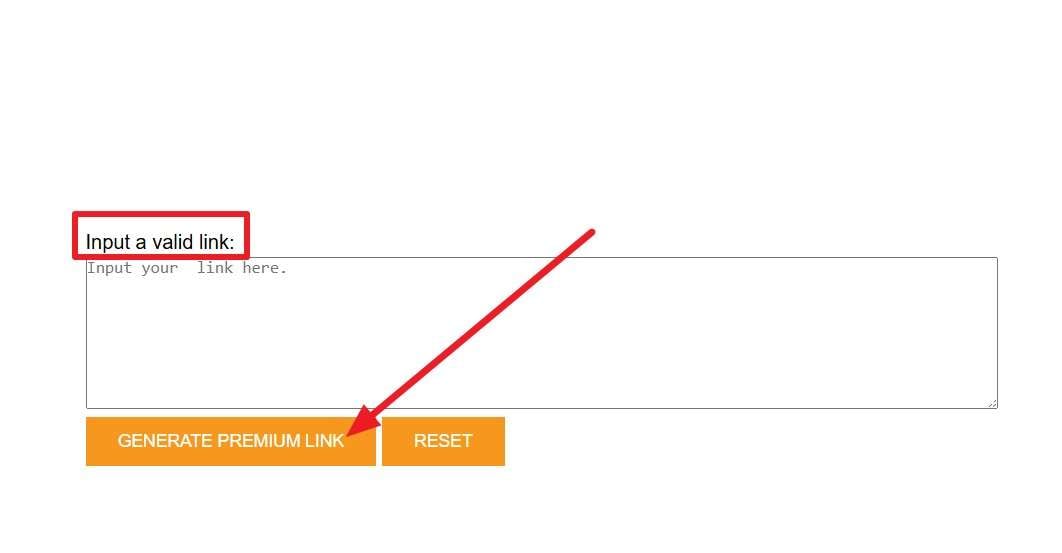
Step 1 Under the “Input a Valid Link” box, add the premium file link and press the “Generate Premium Link” button.
-
Step 2 After you get the downloadable link preview, press the "Download" menu.
● No dedicated customer support.
● Limited to 8 premium links per day.
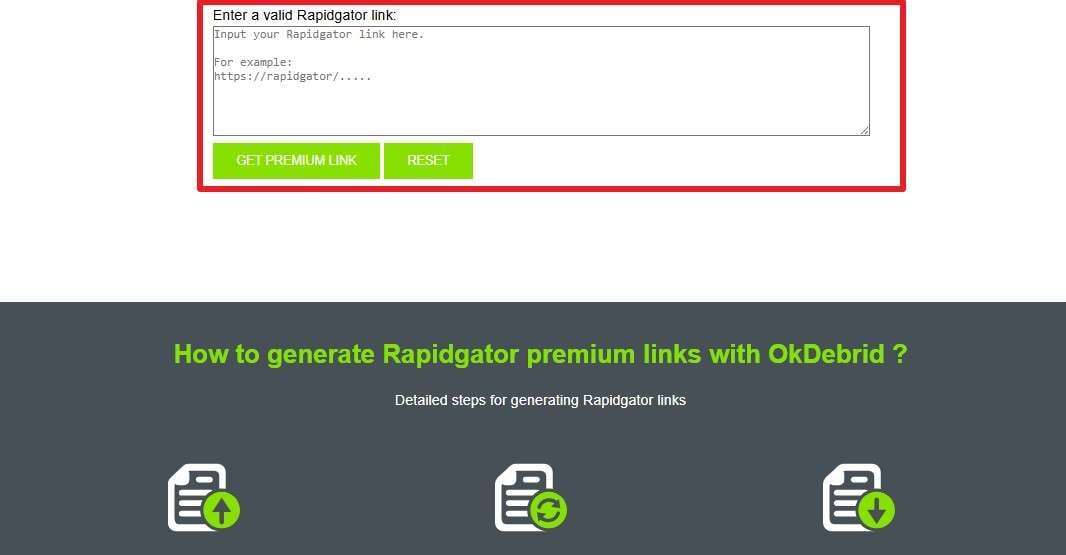
2. OkDebrid
This is another suitable substitute for the Rapidgator free premium link generator that can bypass download restrictions and ISP limits. The tool is free and claims that it's not capped by any limit. Additionally, it allows you to use your own bandwidth, and the detailed guide is given here:
-
Instructions Add the premium file link in the “Enter a Valid RapidGator Link” and press the “Generate Premium Link” button. Download the link when it gives you a list of options while you bypass the Rapidgator premium limit.
● No details on the link disappearing after they are downloaded.
● Shows invalid links or takes too long to download files.
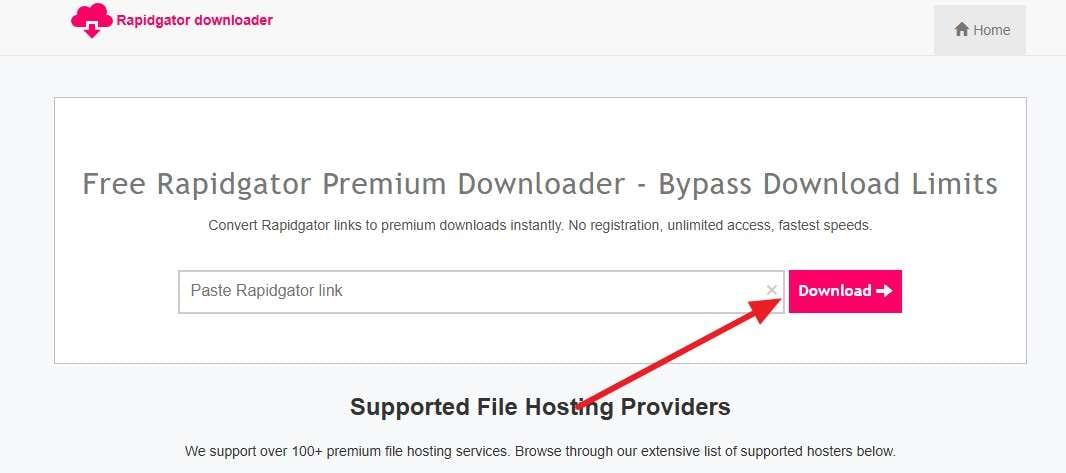
3. Downloader.now
Without any account or registration needed, use this Rapidgator premium link downloader to create premium links. The site claims to be 100% free and imposes no limits on file size, whether large or small. In addition, there is no need to fill in the CAPTCHA when the following basic steps are performed to access premium links:
-
Instructions Insert the Rapidgator premium link in the given toolbox and pick the "Download" button to continue.
● Service could disappear anytime.
● No tracking claims are unverified.
Pro Tip. Keep Your Phone Files Organized with Dr.Fone Basic
Once you bypass Rapidgator Premium and download files, keeping them organized on your phone is its own separate challenge. Dr.Fone Basic is a phone management toolbox that includes Phone Manager and various other tools like Phone Backup to help you organize files on your PC. Dr.Fone - Phone Manager (iOS) lets you import, delete, or drag and drop files, and supports iOS 27/iPadOS 27 and iPhone 17 series.
Conversely, Wondershare Dr.Fone allows users to transfer Rapidgator files between Android devices and computers in bulk. You can also transfer media files between iTunes and Android or manage contacts, which makes Dr.Fone versatile. Nonetheless, all this can be done in 3 simple steps, and separate guides for each phone make file management seamless.
How to Organize Phone Files with Dr.Fone – Phone Manager
To know how you can use this tool to manage the Rapidgator files between mobile and PC, adhere to the given guide for Dr.Fone - Phone Manager (Android):
-
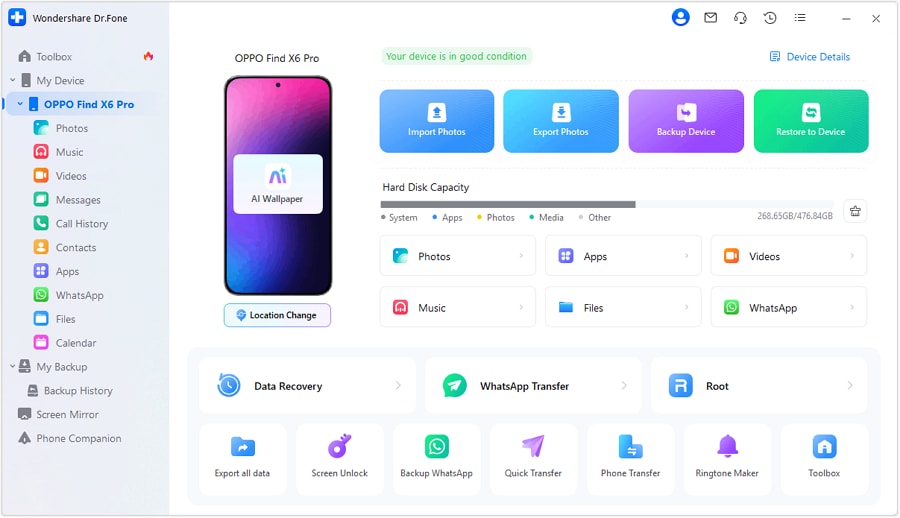
Step 1 Connect Your Android Device with Dr.Fone
Connect your Android device to the computer using a USB cable, then open the "My Device" section in the Dr.Fone toolbox.
-
Step 2 Add the Rapidgator to Import and Manage
Go to the “Files” tab and press the “Add Files” button to import the Rapidgator files.




Also Try: Dr.Fone - Screen Unlock (iOS/Android)
 Unlock Android phone in seconds.
- Remove PIN, pattern, password, fingerprint.
- Bypass Google FRP lock easily.
- Works on all Android brands & models.
- No tech skills required – user-friendly.

You've successfully downloaded your files from Rapidgator, but what if your phone is locked and you can't transfer or access them? Forgetting your passcode, pattern, or PIN can completely block access to your device — and all the files you just saved.
Dr.Fone - Screen Unlock (iOS) | Dr.Fone - Screen Unlock (Android) help you remove iPhone and Android screen locks quickly and safely, even if you've been locked out after too many failed attempts. Whether it's a 4-digit passcode, 6-digit code, Face ID, Touch ID, or pattern lock, this tool can bypass it without requiring technical skills.
Conclusion
A Rapidgator downloader is really just Rapidgator's own free or premium download system, since both are built directly into the platform. Free downloads work fine for occasional, smaller files, while Premium removes the speed cap and wait times entirely for anyone downloading regularly.
Third-party premium link generators and debrid services promise a shortcut, but they carry real risk and generally violate Rapidgator's own terms. Sticking with Rapidgator's official free or Premium options avoids that risk entirely. Once your files are downloaded, Dr.Fone - Phone Manager can help keep them organized across your devices.
FAQ
-
1. Is Rapidgator safe for downloading files?
Rapidgator itself is a legitimate file hosting company, so using the platform isn't inherently unsafe. The real risk depends on the specific file and source, since any host can be used to share unauthorized or unsafe content. -
2. Can using a debrid service violate Rapidgator's terms?
Yes, these services typically work by sharing access through unofficial accounts, which Rapidgator's own terms prohibit. Accounts associated with this type of access may be suspended if Rapidgator detects unauthorized use. -
3. Why is my Rapidgator link not working?
A broken link is usually caused by the file being removed, the uploader deleting it, or the free download window expiring. Files are also removed when a copyright claim is filed against them. -
4. Can I resume an interrupted Rapidgator download?
Premium accounts support resuming an interrupted download from where it stopped, without losing progress. Free accounts generally don't support this, so an interrupted download usually has to restart from the beginning.
 Add Wondershare Dr.Fone as a preferred source on Google