 Bypass iCloud Activation Lock and Android FRP without password.

 100% Security Verified | No Subscription Required | No Malware

 :
: 
 ChatGPT
 Perplexity
 Gemini
 Claude
 Grok
Grok
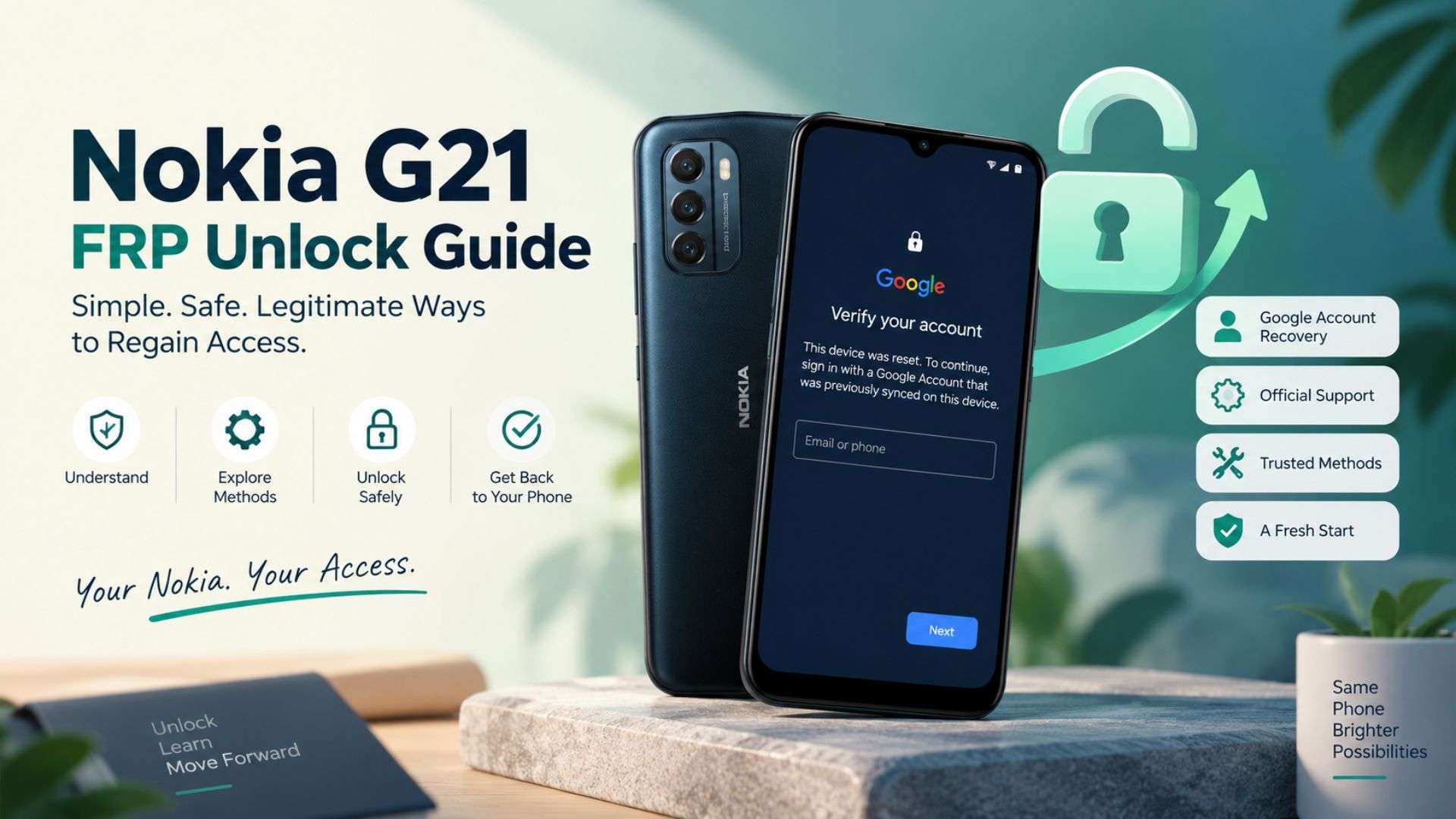
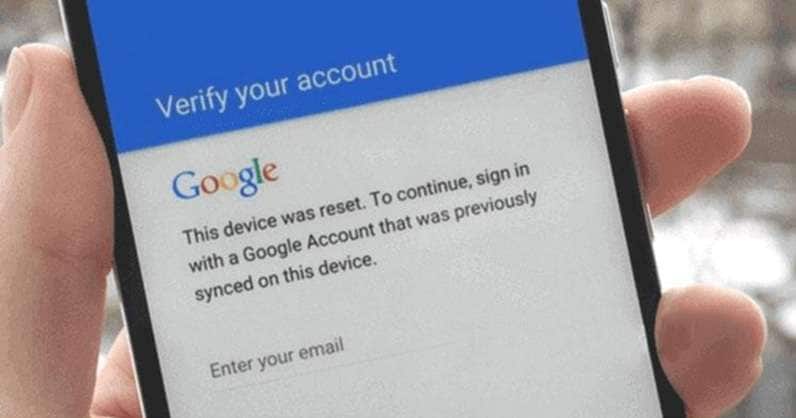
You reset your Nokia G21, start setup again, and then hit a screen asking for the Google account used on the phone before. The phone is not damaged. Google’s Factory Reset Protection, or FRP, is checking that the person setting it up is an authorized owner. Protected Android devices may require a previously synced Google account after a reset, says Google.
The Nokia G21 was originally launched with Android 11 and runs on the Unisoc T606 chipset. Thanks to firmware updates, Android updates, and security patches, recovery options may differ from other models based on regions. This Nokia G21 FRP unlock guide covers Google recovery first, the best software option, and the rest of the assistance. Only use these methods on a phone you own or have been given permission to manage.
In this article
- Part 1. Why Does FRP Lock Your Nokia G21 After a Reset?
- Part 2. Try Google Recovery Before Using an FRP Tool
- Part 3. Unlock Nokia G21 FRP with Dr.Fone - Screen Unlock (Android)
- Part 4. Nokia G21 FRP Alternatives for Unsupported Firmware
- Part 5. Which Nokia G21 FRP Method Fits Your Situation?
- Part 6. Avoid Another FRP Lock Before Your Next Reset
Part 1. Why Does FRP Lock Your Nokia G21 After a Reset?
FRP can appear after a reset because Android still needs to verify the phone's owner.
1-1. FRP Is Not the Same as a Screen Lock
Factory Reset Protection, or FRP, is part of Android’s device protection. After certain resets, Google may ask for the screen lock or the Google account previously added and synced to the phone.
These protections serve different purposes:
- PIN, pattern, or password: controls everyday access to the phone.
- Factory reset: erases apps, settings, and local user data.
- FRP verification: checks ownership when you set up the device again.
Google confirms that a factory reset removes data saved on the mobile. You can restore data that has already been backed up to a Google Account later. Removing FRP does not recover deleted local files.
1-2. Why Nokia G21 Compatibility Matters
The Unisoc T606 chipset powers the Nokia G21, and it appeared with Android 11. The model received two OS upgrades from HMD.
In other words, Nokia G21 FRP unlock methods must match the software actually on the device. Android version, security patch level, firmware, region, and exact model compatibility may differ.
FRP (Factory Reset Protection) instructions that are written for other Samsung Exynos devices, MediaTek phones, the Nokia G22, or other Unisoc phones do not work on this phone.
Part 2. Try Google Recovery Before Using an FRP Tool
For a legitimate Nokia G21 FRP unlock, start with Google’s own recovery options. This is the most direct way to satisfy FRP without third-party software.
2.1 Sign In With a Previously Synced Google Account
During setup, enter a Google account that was previously added and synced to the Nokia G21.
Google confirms that you can use any eligible Google account previously synced to the device for ownership verification. A newly created account will not replace this requirement.
If you used more than one Google account on the phone, try one that was synced before the reset.
2.2 Recover a Forgotten Email or Password
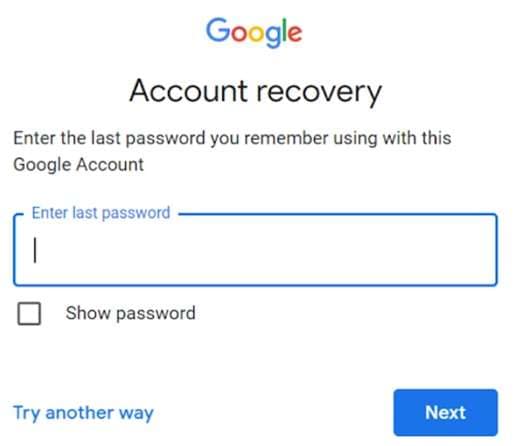
If you cannot remember the account details, use Google Account Recovery first.
Google can help you recover:
- a forgotten email address
- a forgotten password
- access to an account that cannot be signed in normally
To recover your username, you may be asked to provide your recovery phone number or email address as well as the full name linked to the account.
If you have recently changed the Google password, Google suggests that you wait 24 hours before factory resetting. Recovery or authentication changes can also take time to become trusted, depending on the account and security checks.
2.3 Contact HMD Support if Account Recovery Fails
If the Nokia G21 is yours but Google recovery does not resolve the issue, contact official HMD support.
HMD currently offers support through chat, email, community help, and authorized care centers.
Keep useful ownership details ready, such as:
- proof of purchase
- IMEI or serial number
- Nokia G21 model details
These can help support identify the device and review the case.
Part 3. Unlock Nokia G21 FRP with Dr.Fone - Screen Unlock (Android)
If Google account recovery is not available, a guided desktop tool can make the next step easier. Dr.Fone - Screen Unlock (Android) includes a dedicated FRP bypass feature and supports Nokia within its current Android FRP workflow. Wondershare has also expanded FRP support across newer Android chip platforms, including Nokia Unisoc devices.
For a Nokia G21 FRP unlock, Dr.Fone is useful because the process is handled through one desktop interface. You do not need to rely on random APK files or unrelated phone-specific tricks.
Why Use Dr.Fone - Screen Unlock (Android)?
Dr.Fone offers several useful FRP features:
- dedicated Remove Google FRP Lock mode
- guided on-screen instructions
- automatic driver download during supported workflows
- support for several Android brands, including Nokia
- simple computer-based setup for users with limited technical experience
Compatibility note: Wondershare currently lists Nokia in its FRP guide, but its detailed supported-device section specifically names the Nokia T10. Check the latest Dr.Fone interface for Nokia G21 and your exact firmware before starting.
 Unlock Android phone in seconds.
- Remove PIN, pattern, password, fingerprint.
- Bypass Google FRP lock easily.
- Works on all Android brands & models.
- No tech skills required – user-friendly.

How to Use Dr.Fone for Nokia G21 FRP
-
Step 1 Open Screen Unlock
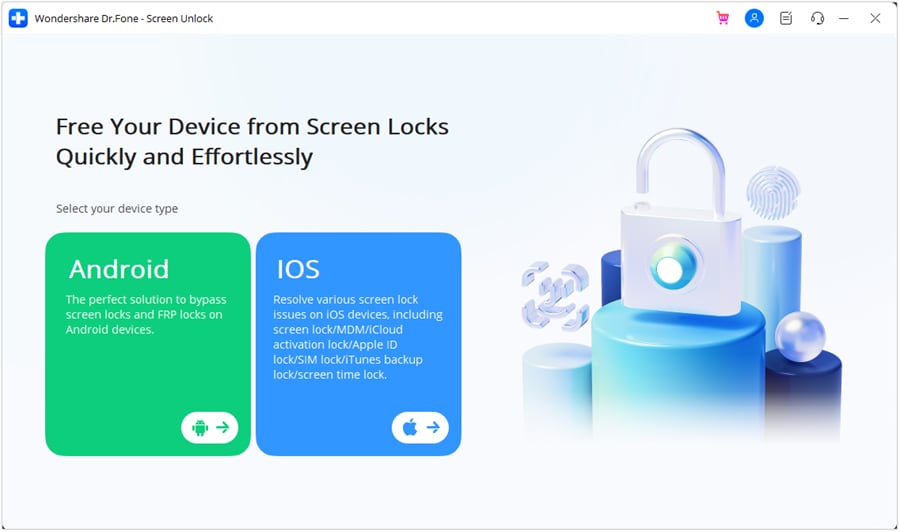
Launch Wondershare Dr.Fone on your computer. Open Toolbox, select Screen Unlock, and then choose Android.
-
Step 2 Select Google FRP Removal
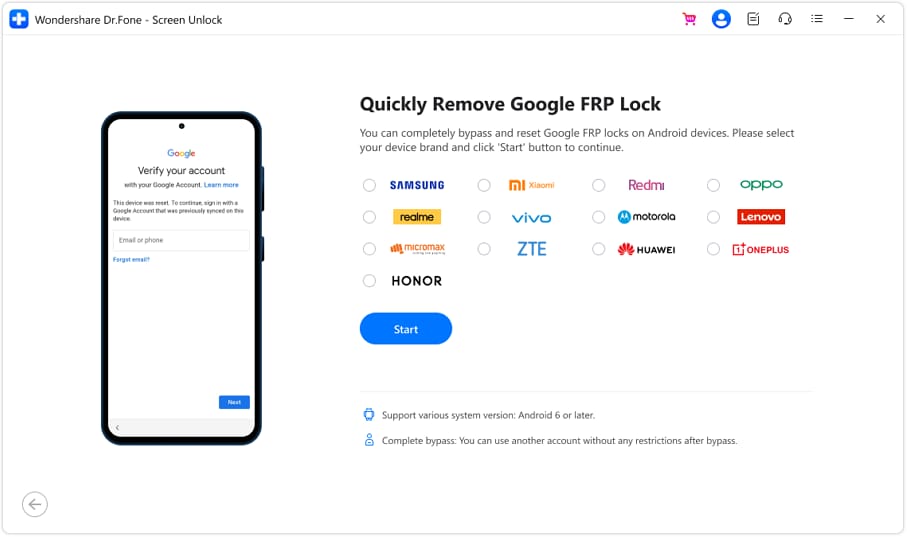
Choose Remove Google FRP Lock.
Now, select Nokia from the available Android. If Dr.Fone requires your device info, select the option according to your phone.
-
Step 3 Connect the Nokia G21
Dr.Fone will download the required driver for the selected workflow.
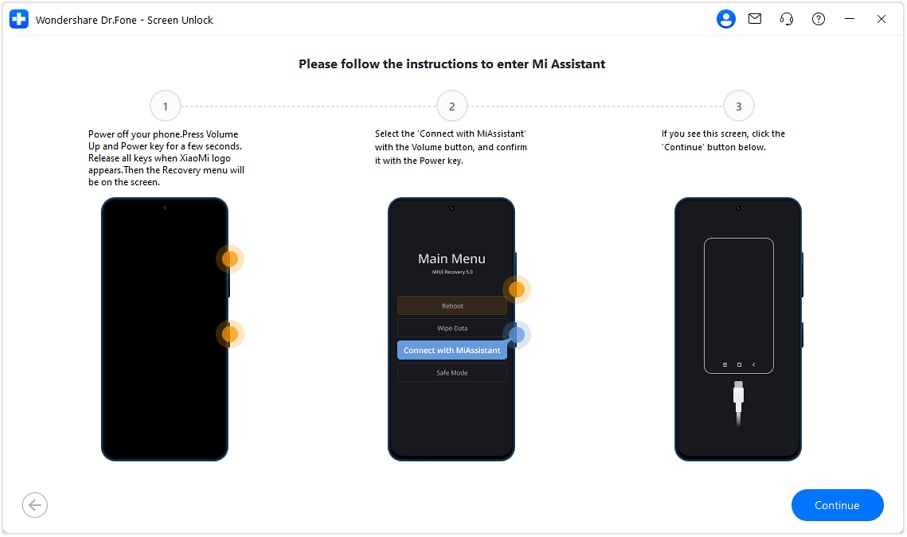
Turn off the phone and connect to the computer. Refer to the prompts appearing on the program and your phone screen to start. Wondershare's current guide may ask users to hold the Volume Up and Volume Down buttons while connecting supported devices.
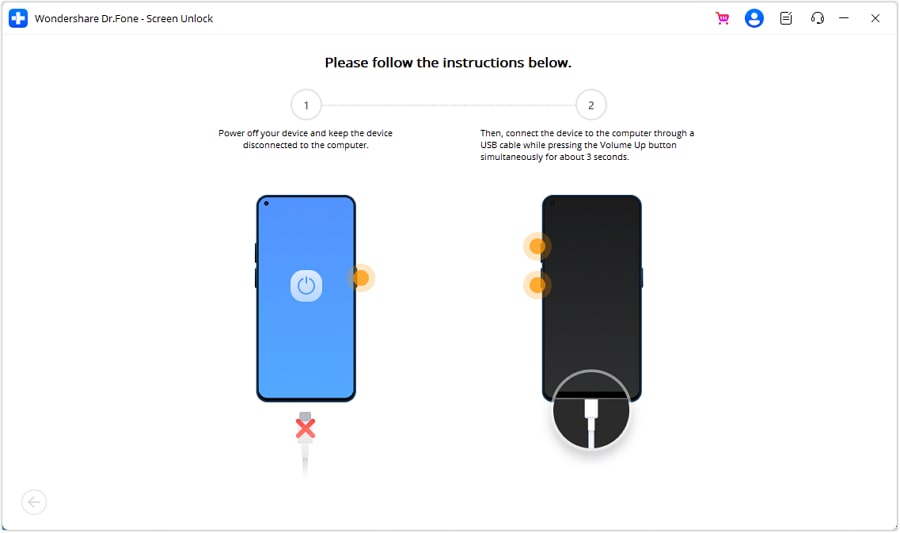
Follow the instructions shown for your Nokia configuration rather than using steps written for another Android brand.
-
Step 4 Remove the FRP Lock
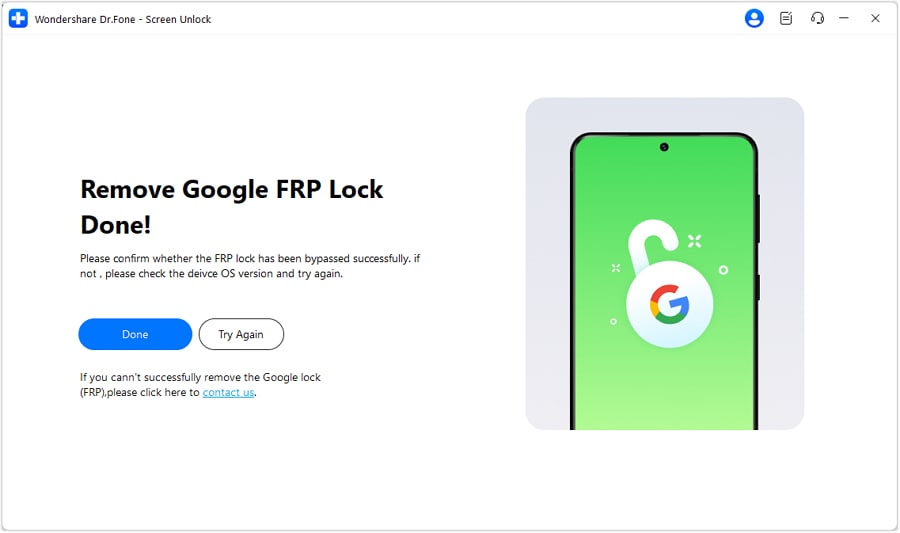
When the device is recognized, the supported FRP removal process starts. Leave the device connected and follow the instructions on screen. Select Done when the process successfully finishes. After that, restart the Nokia G21 if requested and continue with device setup.




Part 4. Nokia G21 FRP Alternatives for Unsupported Firmware
Software support can change. If the tool does not recognize your device, do not start trying unrelated FRP exploits. There are still legitimate alternatives.
Method 1: Use a Remote Nokia FRP Service
A technician-assisted FRP service can be useful when consumer software does not support a particular firmware.
UnlockBoot, for example, currently advertises a remote Nokia FRP service and specifically lists the Nokia G21 among supported models. Its process requires a computer, an internet connection, a USB cable, and a remote technician session.
That makes this type of service a possible fallback when:
- you prefer technician assistance
- You own the device and can verify that ownership
- you do not want to handle servicing tools yourself
Be careful with broad marketing claims. Terms such as “all models,” “permanent,” or “risk-free” are provider claims and should not be treated as independent guarantees.
Never give a remote technician your Google password or unrelated private account credentials.
Method 2: Treat Old Nokia G21 FRP Tricks as Legacy Methods
Search results often show Android 12-era Nokia G21 FRP tutorials. These may rely on old setup-screen behaviors, special menus, sideloaded APK files, or software bugs. A security update can close those routes without warning. That makes them poor choices for a modern Nokia G21 FRP unlock.
An older procedure may work on one firmware and fail completely on another. For a legitimate device, official account recovery, a supported tool such as Dr.Fone, or a reputable technician service is a cleaner route.
Part 5. Which Nokia G21 FRP Method Fits Your Situation?
Not every Nokia G21 FRP unlock case needs the same route. Start with the option that matches your account access and current firmware.
| FRP Method | What You Need | User Effort | Compatibility / Limitation | Best Fit |
|---|---|---|---|---|
| Previously Synced Google Account | Google email and password used on the G21 | Low | Works when an eligible account was previously synced to the phone | You still know the original account details |
| Google Account Recovery | Recovery email, phone number, or other verification details | Low | Access depends on Google's identity and security checks | You forgot the email or password |
| HMD Support | Device details and useful proof of ownership | Low | Available support options vary by region and case | Google recovery fails on a legitimately owned phone |
| Dr.Fone - Screen Unlock (Android) | Computer, USB cable, Dr.Fone, and a supported device configuration | Moderate | Nokia is supported in the FRP workflow, but Wondershare currently names Nokia T10 specifically; verify G21 support in the latest interface | You want a guided software-based option |
| Remote Nokia FRP Service | Windows PC, USB cable, internet connection, and technician access | Moderate | UnlockBoot currently lists Nokia G21, but support and service claims come from the provider | Dr.Fone does not support your current firmware or you prefer technician help |
| Older Manual FRP Methods | Method-specific menus, files, or setup-screen access | High | Strongly dependent on Android version, firmware, and security patch | Only when the exact G21 software version has been verified |
Bought the Nokia G21 Second-Hand?
This situation needs extra care. If the previous owner's Google account is still linked after a reset, ask that person or the seller to resolve the account association.
Also check:
- original receipt
- IMEI
- seller identity
- device ownership history
If ownership cannot be established, returning or refunding the phone is safer than trying unknown FRP methods.
Part 6. Avoid Another FRP Lock Before Your Next Reset
A few checks before resetting the phone can save time later. First, confirm that you know the Google account email and password used on the device. Google specifically advises checking this information before a factory reset.
Then:
- back up important files
- confirm your screen PIN or password
- remove personal accounts before selling the phone
- use the normal Settings reset process when possible
- keep Android and security updates current
- verify that personal accounts are removed before giving the device to someone else
Remember that a factory reset removes local user data. FRP recovery does not restore files erased during that reset.
Conclusion
To successfully unlock FRP on a Nokia G21, use a recovery method specific to this model, not one copied from another Nokia. The G21 is equipped with a Unisoc T606 processor, and its compatibility with other versions is affected by its Android version, firmware, region, as well as security patches.
Start with Google's official account recovery whenever possible. If that route is unavailable, Dr.Fone - Screen Unlock (Android) is the main guided third-party option covered here for supported Nokia configurations. Check current G21 compatibility before proceeding. A professional remote service can serve as a fallback, while old Android 12 workarounds should be treated as firmware-dependent rather than reliable solutions.
FAQs About Nokia G21 FRP
-
1. Does FRP removal restore data erased by a factory reset?
No. A factory reset removes data that is on your device. The verification lock will be removed, but deleted local data will not be restored. When you set it up, you may be able to restore data saved to your Google Account. -
2. What should I do if I bought a second-hand Nokia G21 with FRP enabled?
Contact the seller first. Google states that a protected phone may require a Google Account that was previously added and synced to the device. Ask the seller to resolve the account lock and confirm ownership. If they can't, returning the phone is the safer option. -
3. Does Dr.Fone support every Nokia G21 firmware?
Not necessarily. Wondershare currently lists Nokia as a supported FRP brand, but its detailed compatibility page specifically names the Nokia T10. For a Nokia G21 FRP unlock, check the latest Dr.Fone interface and your exact firmware before starting.
 Add Wondershare Dr.Fone as a preferred source on Google



